 Rolf Mistelbacher
Filter favorites & large workspace improvements
We shipped a set of filtering improvements focused on speed, clarity, and consistency, especially for larger Linear workspaces.

Recent and favorite filter combinations
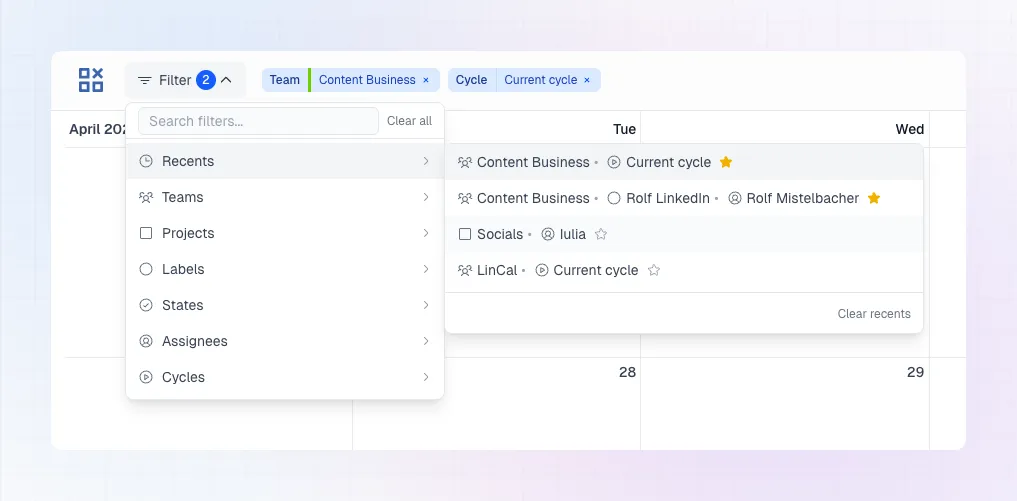
You can now save and quickly reapply filter combinations. Pin your most-used setups and jump back to them in one click.
Better support for larger workspaces
Dozens of teams, hundreds of projects or assignees? No longer a problem.
💡 Tip: With no filters set, LinCal defaults to showing work from your own teams.
Smoother filtering
Filter submenus are now more responsive, and teams, projects, and assignees each have their own search field.
Fixes & UI polish
We fixed share-link edge cases, improving consistency when opening shared filtered views. A few visual improvements were included too: icon updates, plus a cleaner filter menu presentation.
LinCal now has docs
We published a documentation site at docs.lincal.app. It covers all key features and will keep growing as LinCal does.