
Product Updates and Changelog
-
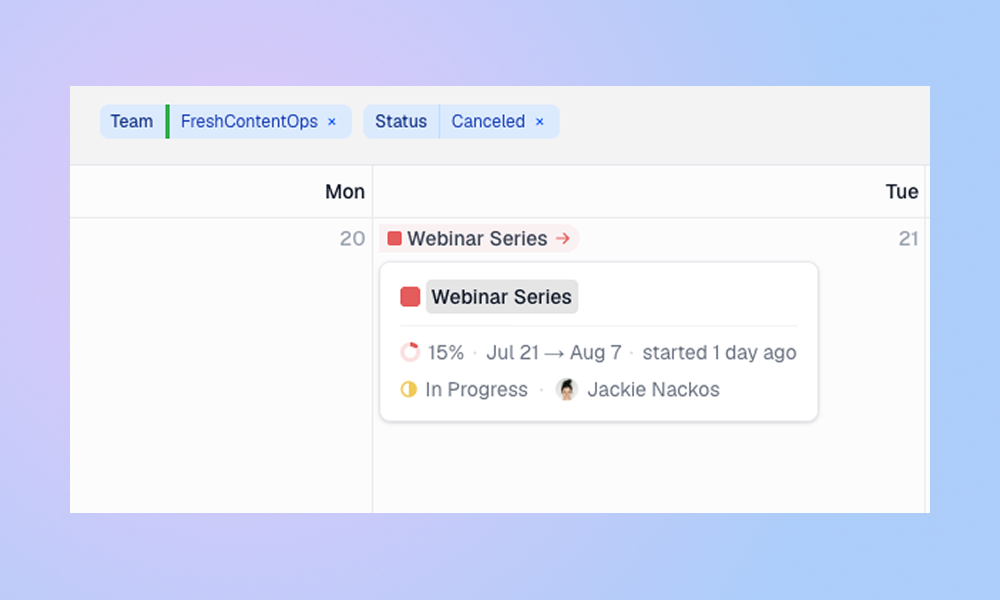
See the Bigger Picture: Project Dates, Task Sorting, and More Calendar Context
See when projects start and end, spot work outside a project timeline, customize task ordering, show priorities on task cards, and create today’s task with one key. Project Dates on the Calendar Projects now appear as pills on their start and target dates. This makes it easier to see when a project begins, when it…
-

Better Task Editing + A Smarter No-Due-Date Bar
LinCal now makes task planning faster with quicker task creation, editable task titles, copyable task links, and a revamped no-due-date bar with search. Faster task creation and editing You can now create tasks faster by typing the task title directly into a calendar day. Press Enter, choose the team and properties, and create the task…
-

Easier View Selection + Faster Loading for Large Workspaces
Use views you already created in Linear You can now filter your LinCal calendar by views from Linear. If you already use Linear views to organize work, you do not need to rebuild that setup manually in LinCal. Open the filter menu, select Views, and choose one of your existing Linear views to load the matching…
-

Delete tasks + Install as an app
Two small things that make the workflow a smoother. This update lets you delete tasks directly from the calendar, and install LinCal as a standalone app on your computer. Delete Tasks You can now delete tasks directly from the calendar. Drag a task to the trash zone that appears at the bottom right of the…
-
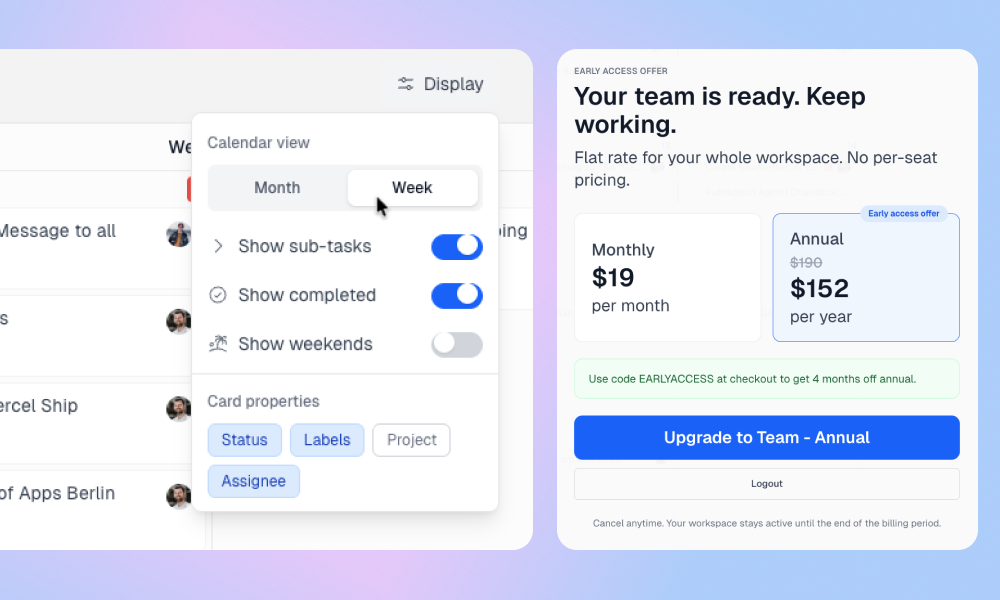
A New Chapter for LinCal
After 12 months of working on LinCal, we’re ready to move out of early access. What started as a simple calendar view for Linear has grown into a product now used by more than 100 teams to plan work by date, reschedule tasks, share filtered calendar views, and organize weekly planning. With this update, we’re…
-

Linear for Content Teams: A Practical Setup Guide
Linear is built for product teams first. But many content and marketing folks work inside those same organizations, and they use Linear too. With a few small customizations, it works surprisingly well for content work. This post walks through how to structure your content workflow in Linear, from a single content piece all the way…
-

LinCal in 90 Seconds
100+ teams are using LinCal to plan their work on a calendar. Here’s what it looks like today. In 90 seconds you’ll see a full planning session: filtering by team and assignee, spotting an overdue task and rescheduling it by drag and drop, updating a status and cycle, creating a new task with properties, and…
-

Filter favorites & large workspace improvements
We shipped a set of filtering improvements focused on speed, clarity, and consistency, especially for larger Linear workspaces. Recent and favorite filter combinations You can now save and quickly reapply filter combinations. Pin your most-used setups and jump back to them in one click. Better support for larger workspaces Dozens of teams, hundreds of projects…
-

A Shareable Calendar View for Linear App
Linear is great at tracking work. But when you want to answer “what’s actually happening this week?” — the calendar view isn’t really there. You end up screenshotting a list, pasting it into Slack, or scheduling yet another standup just to get everyone on the same page. LinCal adds a calendar layer on top of…
-

LinCal is now an Official Linear Integration
LinCal is now listed in the Linear integration directory — making it easier than ever for Linear users to discover and add a calendar view to their workflow. What is LinCal? LinCal is a calendar interface for Linear. It lets you see your issues, cycles, and projects laid out by due date on a scrolling…