

With this update, we’re making LinCal more powerful for teams using cycles and easier to use from day one.
Cycle indicators on the calendar
If your team uses Linear cycles, LinCal now shows when cycles start.
A small icon appears on calendar cells marking the beginning of each cycle. Click it to jump directly to that cycle in Linear. Hover over it to see how many days are left in the current cycle or when the next one begins.
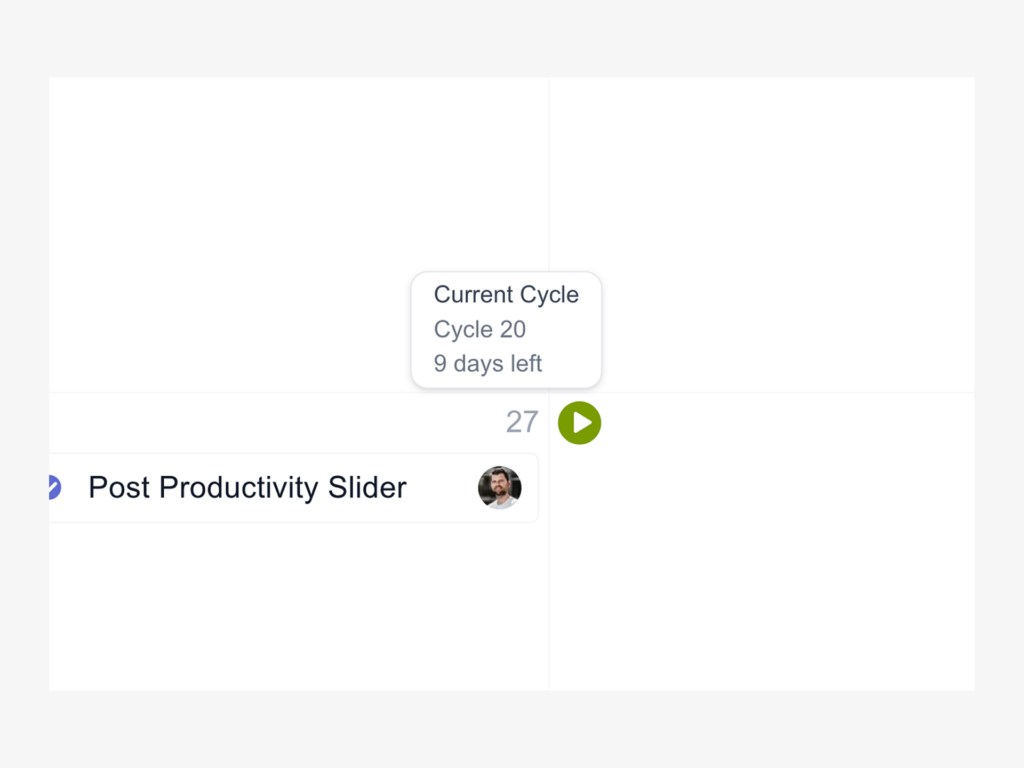
This makes it easier to plan your work around cycle boundaries.
Filter for the current or upcoming cycle, and quickly spot unplanned work in the tasks without a due date panel.
Send feedback without leaving the app
Spotted a bug? Have a feature idea? Just want to say hi?
Click the feedback button in the bottom right corner of LinCal.

Your message lands directly as a task in our Linear workspace, so we can act on it quickly.
Welcome tour for new users
New to LinCal? A 5-step welcome tour now guides you through the key features right after login.

Already familiar? You can restart the tour anytime from your avatar menu if you need a refresher.
Choose your appearance
Until now, LinCal followed your system’s light or dark mode automatically. Now you can override it and pick your preferred theme—Auto, Light, or Dark mode.
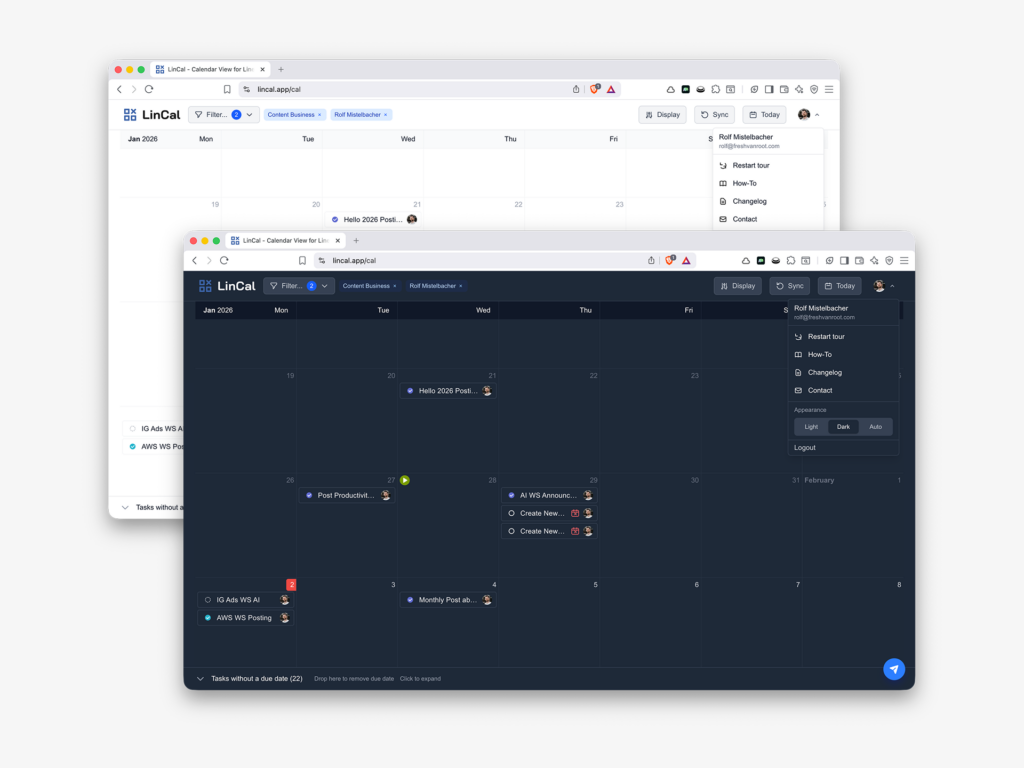
Access it under your avatar menu in the top right corner.
Feature requests, feedback? Shoot us an email or use the new in-app feedback button!