

Share Your Calendar View
You can now share your calendar with teammates. Just hit the Share button in the top right corner, and LinCal generates a private link that includes:
- Your exact filter selection (teams, projects, assignees, labels, cycles)
- All display settings (weekends, sub-issues, completed tasks)
Recipients see your exact view after logging in with their Linear account.
This enables the following use case: Create a specific view calendar permalink URL for your team, examples:
- Your teams current cycle calendar
- Work assigned to you across projects, labels, teams
- A project calendar spanning work from several teams
- and much more
Private by design: Recipients must sign in with Linear and have access to your workspace to view the calendar.
Color-Coded Task Cards
Task cards now display team and label colors directly on the card.
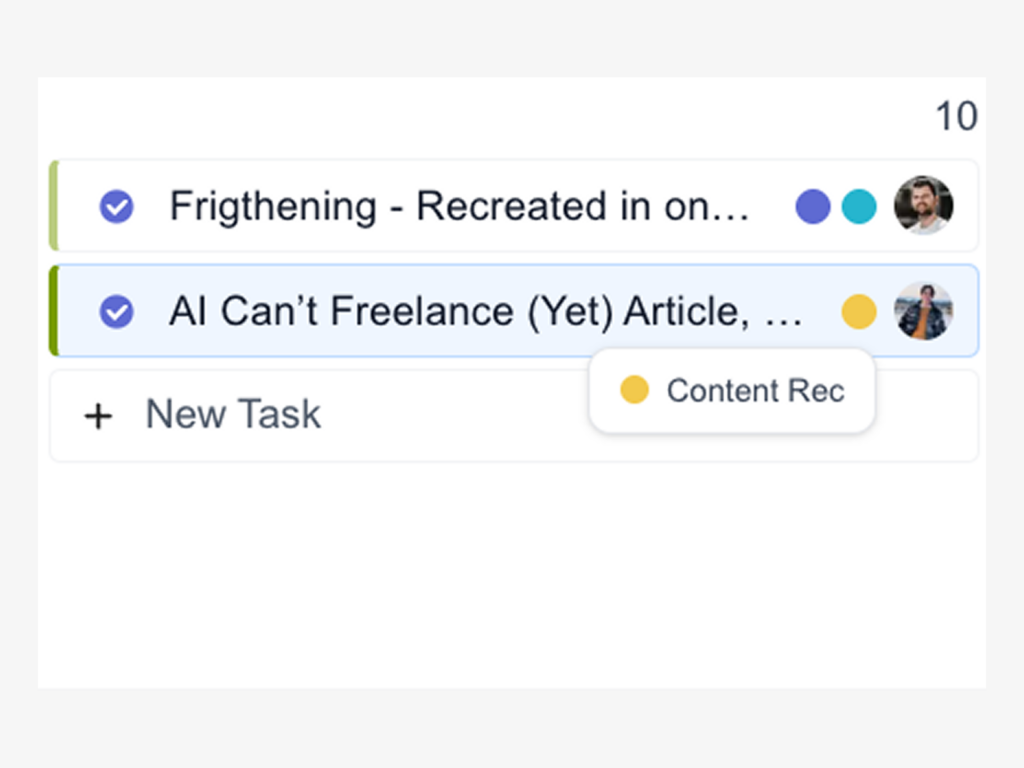
It’s a small interaction that makes a big difference when you’re trying to understand your calendar at a glance.
- Left border of a task shows the team color
- Colored label dots are shown before the assignee – on hover you get a tool tip showing the label name
This makes it effortless to spot which team or label group a task belongs to, especially helpful when you’re looking at a calendar with multiple teams or a heavily labeled tasks.
Project colors are coming next.
Smarter Filter Bar
The filter bar got a major usability upgrade. Now when you hover over any selected filter, LinCal dims all other tasks on the calendar grid.
This creates an instant visual answer to “what’s on my plate from Team X?” or “which tasks have Label Y?” without needing to toggle filters on and off.
Create tasks even quicker
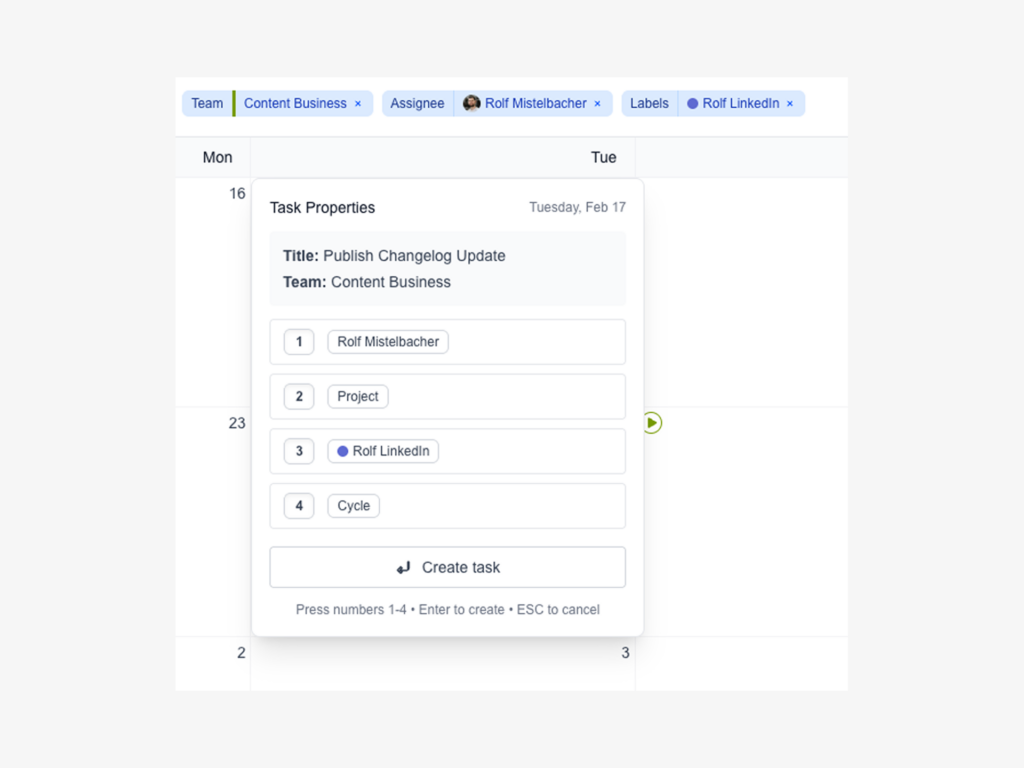
LinCal now pre-fills task properties based on your active filters. Creating a task while viewing “Design Team → Project Website Redesign → Label Improvement”? It’s already assigned to that team, project, and label.
Improved Scroll Behavior
We’ve refined the calendar grid’s scroll mechanics for smoother navigation.
Feature requests, feedback? Shoot us an email or use the new in-app feedback button in the bottom right corner!