Product Updates and Changelog
-

LinCal is now an Official Linear Integration
LinCal is now listed in the Linear integration directory — making it easier than ever for Linear users to discover and add a calendar view to their workflow. What is LinCal? LinCal is a calendar interface for Linear. It lets you see your issues, cycles, and projects laid out by due date on a scrolling…
-

Improvements: Filtering and Display Options
Filtering in LinCal just got a lot more powerful — and a lot less disruptive. This update adds keyboard-first filtering, smarter behavior when switching teams, and more control over what you see on your task cards. Smoother Filtering CMD+K to filter from the keyboard Open the filter menu without touching your mouse. Search across teams,…
-

Share Calendars, Visual Filtering, and Polish
Share Your Calendar View You can now share your calendar with teammates. Just hit the Share button in the top right corner, and LinCal generates a private link that includes: Recipients see your exact view after logging in with their Linear account. This enables the following use case: Create a specific view calendar permalink URL…
-

Cycle Indicators, In-App Feedback, Welcome Tour, & Dark Mode
With this update, we’re making LinCal more powerful for teams using cycles and easier to use from day one. Cycle indicators on the calendar If your team uses Linear cycles, LinCal now shows when cycles start. A small icon appears on calendar cells marking the beginning of each cycle. Click it to jump directly to…
-
Change Task Status, Edit Tasks, Improved Calendar Design
With the first update of LinCal in 2026, we shipped several improvements creating a better user experience. Edit task status Until now you had to click a task and change its status in Linear app. That destroyed the flow of quickly organizing your work on a calendar. Now you can click the circle on a…
-
Why LinCal? Backstory and Product Overview
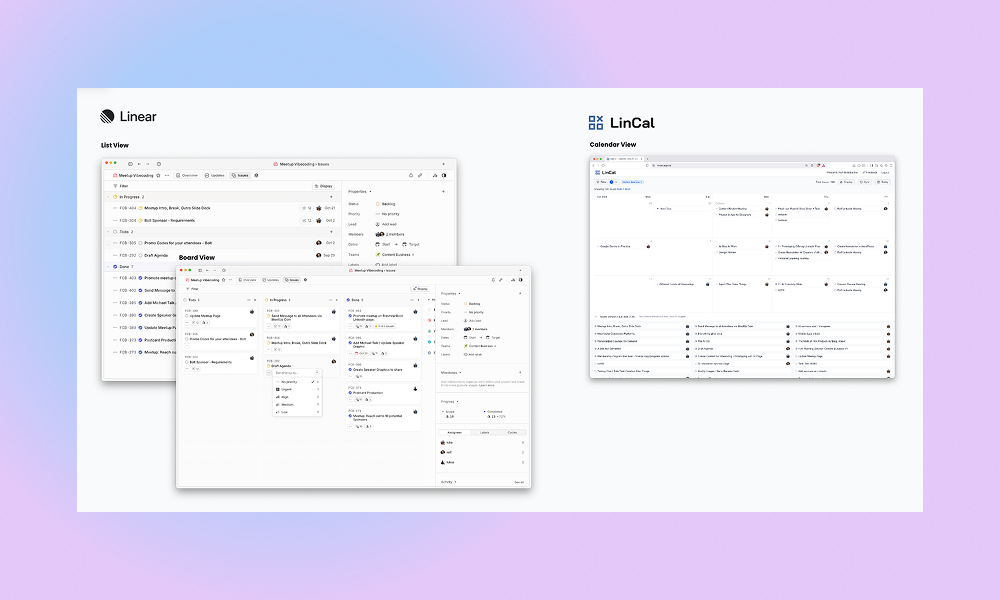
Last Update: May 2026 Linear comes with a Board and List View, but sometimes you want to schedule your work on a calendar timeline. That is the reason we created LinCal. We run a digital agency in Vienna. After moving to Linear, we quickly found ourselves missing one thing: a way to see work on…
-

Extended Task Creation Flow, Sync
Improved Task Creation Flow LinCal now supports adding additional properties to newly created tasks. Until now, LinCal only allowed setting task title, due date, and team. With this update, users can now add The whole flow of task creation can be completed with only keyboard. Here is how it works: Autosync after inactivity If you…
-

Privacy, Filtering
🔐 Privacy-First Architecture Your Data Stays Between You and Linear We’ve rebuilt LinCal to load all your Linear data directly in your browser. No more server-side webhooks or data passing through our systems—we never see your issues, updates, or notifications. Your work data is yours alone. What this means for you: Use the manual browser…
-

Drag&Drop Feature, Real-time-updates, and more
Drag & Drop Plan your work on LinCal with drag&drop of tasks. How it works: Real-time-updates Changes in Linear are instantly synced to the calendar. How it works: Remove Due Date of a task You can remove the due date of a task in LinCal How it works: Improved task creation Task creation now works…
-